
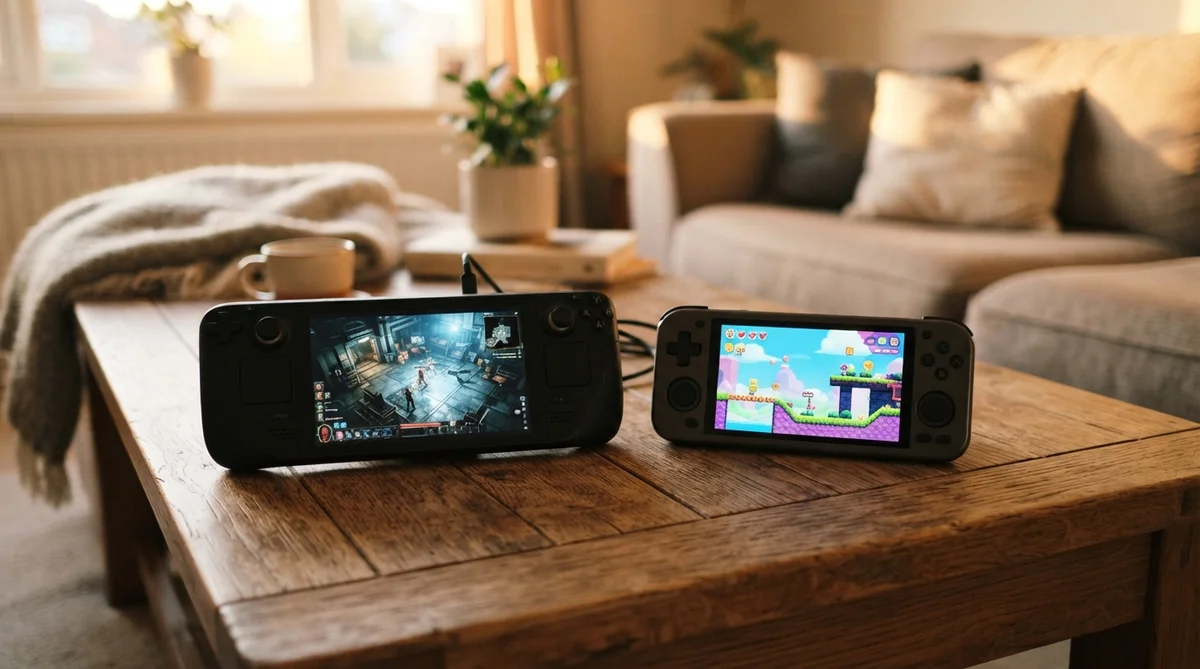
AT A GLANCE
Choosing between a handheld gaming PC versus Nintendo Switch comes down to whether you want open platform performance with deep game discounts or a lightweight console built specifically for first-party exclusives.
- Handheld PCs deliver 1080p performance at 60 FPS or higher in demanding titles, running on 15W to 30W APU power profiles.
- Nintendo Switch hardware prioritizes power efficiency, targeting 720p to 1080p graphics output at lower hardware price points.
- PC storefront pricing lowers software expenses over time through Steam sales, whereas Nintendo maintains steady $60 to $70 pricing for flagship games.
Your ultimate decision depends on whether you value technical flexibility and modding over seamless battery life and dedicated console convenience.
Performance and Hardware: Handheld Gaming PC Versus Nintendo Switch
How do these two hardware categories compare on raw technical specs? Handheld gaming PCs utilize full laptop-class processors like the AMD Ryzen Z1 Extreme or Intel Core Ultra chips. These APUs push higher clock speeds and feature up to 24GB or 32GB of LPDDR5X system memory in models like the ASUS ROG Ally X and MSI Claw 8 AI+. By contrast, Nintendo relies on customized mobile hardware optimized specifically for fixed power targets.
The visual rendering gap is noticeable when running modern third-party titles. Devices like the ROG Ally X and Lenovo Legion Go process complex geometry and ray tracing effects using upscaling tools like AMD FSR or Intel XeSS. Nintendo hardware uses custom Nvidia DLSS upscaling to hit target frame rates, but operates closer to PS4 baseline performance levels.
Thermal dissipation limits dictate sustained performance during long sessions. PC handhelds feature active dual-fan cooling systems engineered to dissipate up to 30W TDP heat loads. Nintendo devices run cooler and quieter under heavy loads, drawing significantly less wattage from their internal batteries.
| Device | Processor / APU | Memory | Display Specs | Weight |
|---|---|---|---|---|
| Nintendo Switch 2 | Custom NVIDIA APU | 12GB LPDDR5X | 8-inch 1080p LCD HDR | ~534 g |
| ASUS ROG Ally X | AMD Ryzen Z1 Extreme | 24GB LPDDR5X | 7-inch 1080p 120Hz VRR IPS | ~678 g |
| Steam Deck OLED | Custom AMD APU | 16GB LPDDR5 | 7.4-inch 90Hz HDR OLED | ~640 g |
| MSI Claw 8 AI+ | Intel Core Ultra 7 | 32GB LPDDR5X | 8-inch 1080p 120Hz VRR IPS | ~789 g |
Game Library and Pricing
What software can you actually run on each device, and how much will it cost you in the long run? The available game catalog on a portable PC encompasses decades of PC releases alongside contemporary multiplatform games. Nintendo limits its native digital library strictly to its official eShop catalog and physical game cards.
Nintendo Exclusives vs. Open PC Ecosystem
Why do Nintendo exclusive titles carry such a strong draw for players? Beloved franchises like Mario, Zelda, and Donkey Kong remain locked strictly to Nintendo hardware. If playing new entries in those specific series is your primary goal, no PC handheld can replace that dedicated console access out of the box.
Portable PCs give you native access to Steam, Epic Games Store, Xbox Game Pass, and GOG on a single device. You can log into existing digital storefront accounts built up over years without buying new licenses. Furthermore, custom player mods and community graphic patches run natively on open operating systems.
Steam Sales vs. Nintendo eShop Pricing
How much money will you spend on video games over the life of the machine? According to Consumer Reports retail pricing evaluations across digital storefronts, PC games drop in price far quicker than console software. Major AAA releases routinely receive 50% to 75% discounts during seasonal Steam and Epic sales within a year of release.
Nintendo maintains tight control over its digital market pricing. Major first-party titles rarely receive deep discounts, keeping launch prices near original MSRPs long after release. Acquiring a collection of 10 major games on PC through seasonal sales can save you anywhere from $200 to $400 compared to buying equivalent console games.
Battery Life and Portability
How long can you play away from an electrical outlet, and how comfortable are these units during transit? Portability comes down to balancing chassis weight, controller ergonomics, and power draw under load.
Compact systems weighing around 534 grams slide into travel bags without causing noticeable shoulder strain. Heavyweight PC handhelds ranging from 640 grams up to 854 grams require sturdy hardshell cases for safe transport during travel.
Internal battery capacity varies significantly across competing models. The ROG Ally X includes a large 80Wh battery that provides 3 to 7 hours of active play depending on your performance profile. The Steam Deck OLED manages 3 to 8 hours due to its efficient processor, while Nintendo hardware delivers between 2 and 6.5 hours depending on screen brightness and network activity.
- Nintendo Switch 2: ~534 g weight | 2.0 to 6.5 hours battery life
- Steam Deck OLED: ~640 g weight | 3.0 to 8.0 hours battery life
- ASUS ROG Ally X: ~678 g weight | 3.0 to 7.0 hours battery life
- MSI Claw 8 AI+: ~789 g weight | 2.5 to 6.0 hours battery life
- Lenovo Legion Go: ~854 g weight | 2.0 to 5.0 hours battery life
Ecosystem Freedom: Plug-and-Play vs. PC Customization
How much system management is required before you can launch a game? The operating system environment creates the biggest functional difference between these hardware categories.
Nintendo software runs on a closed operating system built strictly for rapid user navigation and low-power sleep modes. You turn on the device, pick a game tile, and start playing immediately without modifying graphics sliders or updating graphics drivers.
Windows and Linux handhelds operate as full mini-PCs inside a handheld shell. You can install custom Linux distributions like Bazzite, adjust fan speeds, change TDP power limits, and run desktop browsers. However, Windows handhelds sometimes require driver updates, Windows patches, and manual controller mapping adjustments.
- Console Convenience: Background software updates, unified graphics settings, instant sleep-resume modes, and streamlined storefront purchases.
- PC Flexibility: Adjustable frame rate limits, graphic setting sliders, broad controller compatibility, emulation tools, and mod support.
- Hardware Expandability: Internal M.2 NVMe SSD upgrades on PC handhelds versus microSD storage cards on Nintendo hardware.
Quick Comparison Summary
The matrix below breaks down how these platforms stack up across essential operational categories.
| Feature Category | Nintendo Switch Platform | Handheld PC Platform |
|---|---|---|
| Operating System | Proprietary Nintendo OS | Windows 11 / SteamOS (Linux) |
| Target Resolution | 720p – 1080p with DLSS | 1080p – 1200p with FSR / XeSS |
| Starting Hardware Cost | $400 – $450 | $549 – $799 |
| Game Sources | Nintendo eShop & Physical Cards | Steam, Xbox Game Pass, Epic, GOG, Emulators |
| Modding Support | Locked ecosystem | Fully accessible system files |
Final Verdict: Which Handheld Is Right for You?
Which platform best fits your budget and routine? Choosing the ideal portable hardware depends on what games you prioritize, where you play, and how comfortable you are managing graphics settings.
If you want to read more about our independent hardware evaluations, visit Press Start Review for full testing coverage. Reviewing our platform terms of use will also clarify how digital software licenses function across PC and console storefronts.
- Choose Nintendo Switch if: You want iconic first-party exclusives, prefer a lighter unit under 550 grams, and want a simple console experience that works instantly out of the box.
- Choose a Handheld PC if: You already own a large Steam library, want high refresh rate gaming (90Hz to 120Hz), plan to run emulation, and enjoy tweaking performance settings.